

When you shop for a new car, you expect the interior electronics to make driving easier, not to become a constant source of glitches and repairs. Yet some models turn their touchscreens, digital gauges, and connectivity features into recurring headaches that undermine daily usability. By looking closely at how complex systems fail, you can spot warning signs before you buy and avoid cars whose interior tech is more trouble than it is worth.
1) Overloaded touchscreens that freeze at critical moments
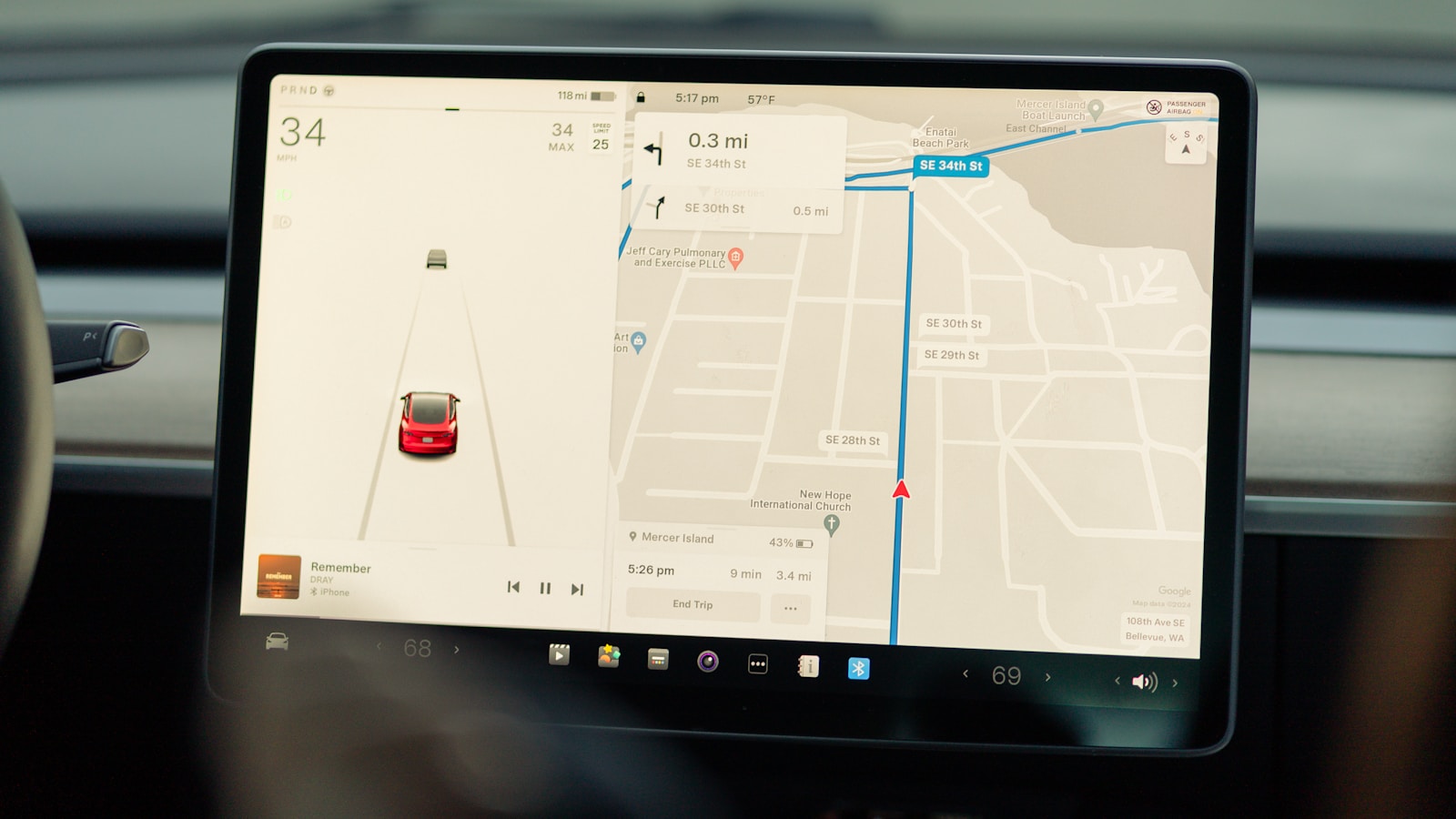
Overloaded touchscreens are one of the most common ways interior electronics fail constantly, because they try to control too many core functions through a single, fragile interface. When climate, navigation, audio, and safety settings all live behind layered menus, a software hiccup can suddenly lock you out of basic controls. In some models, drivers report screens that reboot mid‑drive, lose Bluetooth connections, or lag so badly that simple tasks like changing temperature become distracting.
These failures matter because they turn routine adjustments into safety risks, forcing you to look away from the road while the system catches up. Automakers often respond with software updates, but if the underlying hardware is underpowered, the glitches keep returning. Treat a heavily menu‑driven touchscreen as a red flag and test it thoroughly on a long drive, paying attention to how it behaves when you switch apps, stream audio, and run navigation at the same time.
2) Digital gauge clusters that randomly go dark
Digital gauge clusters can transform your view of speed, fuel, and driver‑assist data, yet they also introduce a new failure point when the electronics are not robust. Owners of some models describe clusters that intermittently go black, reboot, or display warning lights that do not match the car’s actual condition. When that happens, you lose instant access to speed and engine information, and you may not know whether a flashing alert is a real emergency or just another glitch.
Because these clusters are deeply integrated into the vehicle network, diagnosing the root cause can be slow and expensive. A dealer might replace the screen, then the control module, then wiring, while the problem keeps returning. For you, that means repeated service visits and uncertainty every time you start the car. If a test drive reveals flickering pixels, delayed startup, or inconsistent warning messages, treat the digital cluster as a potential long‑term liability.
3) Infotainment systems that constantly reboot
Infotainment systems that reboot on their own are a hallmark of interior electronics that fail constantly, especially in cars that rely on complex app suites and over‑the‑air updates. Drivers report head units that restart several times on a single commute, dropping navigation guidance and cutting off calls without warning. In some cases, the system may freeze on a logo screen, leaving you without audio, backup camera, or smartphone integration until it decides to recover.
These chronic reboots often trace back to unstable software builds or memory management issues that surface only after thousands of owners stress the system in real‑world use. While manufacturers may issue patches, you are effectively beta‑testing their fixes every time you update. Before you commit to a car, dig into owner forums and long‑term reviews to see whether the infotainment platform has a reputation for stability or for endless cycles of “update, crash, repeat.”
4) Climate controls buried in unreliable screens
When climate controls move from physical knobs to touchscreens, any electronic failure instantly affects comfort and visibility. Some cars route fan speed, temperature, and defroster settings through a single digital panel that is prone to lag or unresponsive zones. If that panel locks up on a cold, wet morning, you may not be able to clear fogged windows or adjust heat, turning a minor glitch into a safety concern.
Because these systems are often tied to the same software that runs navigation and media, a bug in one feature can ripple across the entire interface. Owners of problematic models describe needing to restart the car just to regain control of the heater. When you evaluate a vehicle, test the climate interface repeatedly, including while other apps run, and consider whether you are comfortable depending on a screen for something as basic as defrosting the windshield.
5) Driver‑assist alerts that misfire or never shut up
Interior electronics also fail constantly in the way driver‑assist alerts behave, especially when sensors and software are not well calibrated. Lane‑keeping systems that beep or vibrate even when you are centered in your lane, or blind‑spot monitors that light up with no traffic nearby, quickly erode your trust. Over time, you may start ignoring alerts altogether, which defeats the purpose of having these features in the first place.
Some owners report that false alarms become more frequent in rain, snow, or heavy traffic, suggesting that the systems are not robust to real‑world conditions. Others find that the settings menus to adjust sensitivity are buried or confusing. Since these alerts are meant to reduce risk, not add annoyance, persistent misfires are a serious drawback. On a test drive, deliberately expose the car to varied conditions and see whether the alerts feel like helpful nudges or constant, unreliable noise.
6) Backup cameras and parking sensors that cut out
Backup cameras and parking sensors are now mandatory in many markets, but their electronics can still fail in ways that undermine safety. Some vehicles develop intermittent camera outages, where the screen stays black or shows a “no signal” message just as you shift into reverse. Others suffer from sensors that beep continuously even when nothing is behind you, or that stay silent until you are inches from an obstacle.
These issues can stem from moisture in connectors, failing control modules, or software that does not handle minor faults gracefully. For you, the result is a system you cannot rely on when maneuvering in tight spaces or crowded parking lots. Because these aids are often integrated with cross‑traffic alerts and automatic braking, a glitch in one component can compromise the whole suite. If you notice inconsistent behavior during a test drive, assume it will be worse after years of exposure to weather and road grime.
7) Bluetooth and smartphone integration that constantly drops
Bluetooth and smartphone integration are supposed to make your car feel like an extension of your digital life, but flaky connections are a classic sign of interior electronics that fail constantly. Many drivers complain about calls that transfer back to the phone mid‑conversation, music that pauses when the system loses track of the device, or Apple CarPlay and Android Auto sessions that disconnect without warning. Each drop forces you to fiddle with menus or cables instead of focusing on the road.
These problems often arise from compatibility gaps between phone updates and in‑car software that lags behind. Some vehicles also have weak wireless antennas or poorly shielded USB ports that introduce noise. Over time, you may give up on the advertised features and revert to basic audio, wasting a key part of what you paid for. Before buying, pair your own phone, run navigation and streaming simultaneously, and see whether the connection holds up under real‑world use.
8) Seat and mirror memory that forgets your settings
Seat and mirror memory systems are meant to simplify daily driving, yet in some cars they become another electronic failure point. Owners describe memory buttons that randomly lose stored positions, mirrors that tilt but never return to the correct angle, or profiles that mix settings between drivers. When that happens, every trip starts with manual adjustments, defeating the convenience you were promised.
Because these features tie into door modules, key fobs, and sometimes even driver‑assist calibration, diagnosing faults can be tricky. A technician might reprogram the system only for the problem to reappear weeks later. For households that share a car, unreliable memory adds friction and can even affect safety if mirrors are misaligned. During a test drive, program multiple profiles, lock and unlock the car several times, and confirm that the system consistently recalls your exact settings.
9) Interior lighting and controls that flicker or fail
Modern cabins rely on intricate networks of LEDs, capacitive switches, and ambient lighting strips, which can fail in subtle but persistent ways. Some cars develop flickering overhead lights, unresponsive touch‑sensitive buttons, or dim sections of ambient lighting that never match the rest of the interior. While these issues may seem cosmetic, they signal deeper weaknesses in the electrical architecture and component quality.
Repeated failures of window switches, steering‑wheel controls, or illuminated buttons can also make basic tasks harder at night. If the backlighting on climate or audio controls fails, you may struggle to find the right function without taking your eyes off the road. Since these parts are often integrated into larger panels, replacing a single faulty LED can require expensive assemblies. Pay attention to how consistently the interior lighting behaves and whether every control responds cleanly to your touch.
10) Glitchy menu logic that ignores clear procedures
Some of the most frustrating interior electronic failures come from menu logic that seems to ignore clear procedures for handling errors and user input. In a well‑designed system, the software should follow a predictable process, investigate conflicts, and present clear reasons when a function cannot be completed, much like the structured approach described in a detailed policies and procedures manual. When your car’s interface instead loops you through the same dead‑end prompts, you are left guessing what went wrong.
Drivers encounter this when trying to update navigation maps, add a new driver profile, or change safety settings, only to be bounced back to the start with vague error messages. Over time, you may stop using advanced features altogether because the system feels arbitrary and untrustworthy. That undermines the value of the technology and can leave important safety options misconfigured. Look for interfaces that provide clear feedback, logical steps, and transparent explanations when something fails.
11) Over‑the‑air updates that introduce new bugs
Over‑the‑air updates promise to keep your car’s interior electronics fresh, but they can also turn a stable system into a constantly failing one. Some owners report that an update meant to improve navigation or add apps instead breaks Bluetooth pairing, slows the touchscreen, or changes familiar menu layouts without warning. Because these updates are often mandatory, you may have little control over when your car’s behavior changes.
The stakes are higher when updates affect driver‑assist features, instrument clusters, or charging interfaces in electric vehicles. A poorly tested software push can introduce new glitches that require yet another update to fix, trapping you in a cycle of instability. Before buying a car that leans heavily on over‑the‑air updates, research its track record and consider whether you are comfortable with a vehicle whose core functions can change overnight while it sits in your driveway.
More from Wilder Media Group: