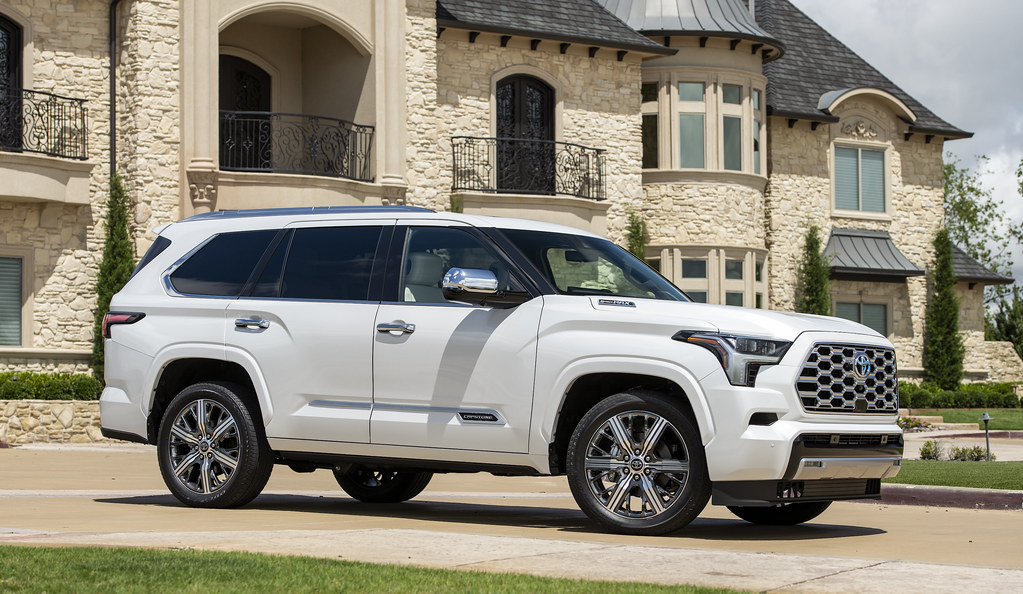

You likely drive one of the affected Toyota Tundra or Sequoia models, and that possibility deserves immediate attention. Toyota is recalling nearly 400,000 trucks and SUVs because a software defect can make the rearview camera display go blank or show distorted images while backing up, which increases the risk of a crash.
This post will walk through which model years are impacted, what the malfunction looks like, and how Toyota plans to fix the issue at no charge. It will also explain the steps to take if a vehicle is on the list so you can act quickly and confidently.
Details of the Toyota Recall
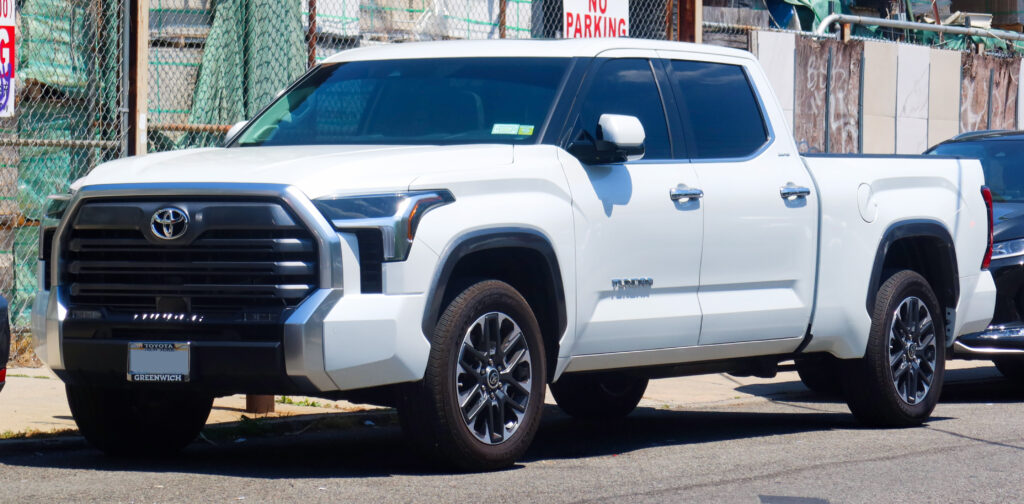
Toyota is recalling hundreds of thousands of trucks and SUVs because a software fault can stop the rearview camera from displaying when the vehicle is put in reverse. Dealers will install a software update at no charge and owners will receive notification letters.
Which Models and Years Are Affected
The recall covers 2022–2025 Toyota Tundra trucks, including Tundra hybrids, and 2023–2025 Toyota Sequoia hybrids. The bulk of the population is non-hybrid Tundra units, which make up more than half of the total affected vehicles. The recall count for the campaign totals about 393,838 vehicles in the U.S.
Owners can check eligibility by VIN with Toyota or the NHTSA database. Dealers will handle the fix free of charge once the repair procedure is available.
Nature of the Software Failure
The multimedia system’s software can crash or fail to initialize the rearview camera display when the transmission is shifted into reverse. The failure stems from a software defect in the 14-inch infotainment/display module that can stop the image from appearing even though the camera hardware remains functional.
Because the issue is software-based, Toyota plans to deliver a diagnostic check and an over-the-air or dealer-installed software update to restore consistent camera display function. The fix does not require camera replacement unless diagnostics show additional hardware faults.
Official Recall Numbers and Dates
NHTSA assigned campaign numbers for tracking and owner inquiries; Toyota also uses internal recall IDs for dealer guidance. Owner notification letters for the display issue were scheduled to be mailed in mid-November the year the recall was announced. Hotline and VIN lookup information are available through NHTSA for consumers who want confirmation.
Owners can contact Toyota customer service at the number listed in recall communications or check the vehicle’s status on the National Highway Traffic Safety Administration site for campaign details and timelines.
Impact on Backup Camera and Safety
When the rearview camera does not display, the driver loses a primary visual aid for detecting obstacles and pedestrians behind the vehicle while reversing. That increases the risk of a backing crash, particularly in tight spaces, parking lots, and situations with limited rear visibility.
Because the problem affects only the display software, Toyota’s remedy focuses on restoring the camera image; dealers will apply the update to return the backup camera to normal operation. Owners should avoid relying solely on the camera until their vehicle has been updated and should use mirrors and direct observation when reversing.
For more information about the recall and VIN eligibility, see Toyota’s recall notice on the AP News recap of the recall.
How to Respond If Your Vehicle Is Impacted
If a recall notice applies, act promptly to protect visibility and vehicle functions. The next steps are to check your VIN, schedule the free corrective action, and use official lookup tools to confirm status.
Checking Recall Status Online
They should find the vehicle identification number (VIN) on the driver’s side dashboard or vehicle registration before checking online. Enter the 17-character VIN into Toyota’s recall lookup or the NHTSA database to see open recalls specific to that VIN.
Use a desktop or mobile browser and keep the VIN copied to avoid typos; partial or incorrect VINs can return no results. If the online lookup shows an active recall, note the recall number, the affected model years, and the remedy described.
If the lookup returns “no open recalls,” they should still check again later; manufacturers sometimes update campaigns. If the vehicle is leased or recently purchased, contact the dealer and provide the VIN so they can confirm recall status in their system.
Getting the Free Software Update
When the recall remedy is a software fix, Toyota will provide the update free of charge at an authorized dealer. They should call a nearby Toyota dealer, give the VIN and recall number, and ask for an appointment specifically for the recall software update.
Bring the recall notice (if received), proof of ownership, and a form of ID to the appointment. Typical software updates may take under an hour, but ask the dealer for an estimated service time and whether a loaner or shuttle is available.
Technicians will load the manufacturer-provided patch and verify system operation before returning the vehicle. They should confirm the dealer records the service under the recall campaign so the repair shows as completed in Toyota’s and NHTSA’s systems.
Toyota and NHTSA Recall Lookup Tools
Toyota’s official recall page lets owners search recalls by VIN and learn recommended remedies and dealer instructions. Use Toyota’s lookup to get manufacturer-specific notes and dealer contact details for scheduling the free update: https://www.toyota.com/recall/.
The NHTSA recall search covers all makes and lists campaign descriptions, safety risk, and recall status by VIN. Use the NHTSA tool to view federal filing details and to register complaints if a dealer does not perform the recall work: https://www.nhtsa.gov/recalls.
They should check both tools if anything seems unclear. Cross-referencing ensures the remedy listed by Toyota matches the federal recall filing and helps them document the repair for resale or future service needs.
More from Steel Horse Rides: