

You spot your ticket, tap your phone, and still owe an extra $8 at the gate — and that stings. The extra charge applies when a mobile ticket is bought or activated onboard after warnings, so holding a valid ticket doesn’t always protect someone from the surcharge.
This post will unpack why that happens, what the transit agency says, and which practical steps someone can take to avoid unexpected fees. Expect clear examples of the policy, common passenger experiences, and simple actions to prevent being hit with the charge.
The $8 Station Fee Controversy
Riders complain the new charge hits commuters who already bought valid tickets and expect reasonable ticketing flexibility. The dispute centers on when a mobile ticket must be activated, how conductors enforce the rule, and the MTA’s stated goal of reducing fare evasion.
Why Train Riders Are Angry
Many riders say the fee feels punitive when they already paid for travel. Commuters report buying tickets on the TrainTime app but activating them seconds or minutes after boarding, then being assessed an $8 surcharge. That timing sensitivity upends habits of waiting to activate until a conductor appears.
Users cite confusion around the app, platform signal issues, and rush-hour crowding that can delay activation. Frequent customers who ride the Long Island Rail Road for work say the change removes a buffer they used under the prior 60-day unused-ticket policy. Complaints also note inconsistency: some conductors accept late activations while others charge the fee, which fuels frustration.
Long Island Rail Road’s New Policy
The MTA implemented the rule to curb “restroom riders” and broader fare evasion that cost the railroad millions. Under the updated Long Island Rail Road policy, mobile tickets purchased must be activated before the train departs the station or they can incur an onboard surcharge. The agency says stricter enforcement helps recover lost revenue.
The MTA frames the change alongside other fare and toll measures and service alerts meant to improve revenue integrity. It also links to systemwide fare policies and planned service changes intended to reduce opportunities for unpaid travel. Riders see the move as shifting enforcement burden onto customers rather than improving ticketing access at stations.
How the Fee is Applied to Ticket Holders
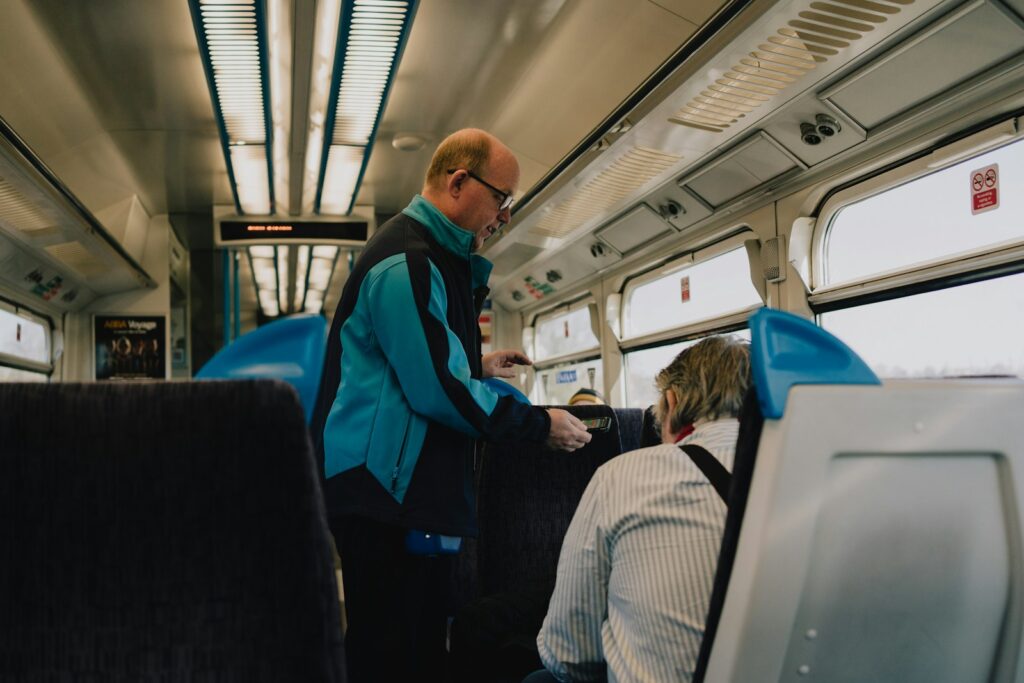
Conductors typically check tickets during onboard inspections and can apply the $8 surcharge when they find a ticket that was purchased but not activated in time. The surcharge appears as an onboard charge separate from the original fare, and riders have reported being billed immediately or directed to pay on the spot. Ticket machines and station agents remain available, but mobile-ticket activation timing is now critical.
Exceptions and variations occur: some riders who miss a train or face app failures say agents sometimes waive the fee, while others say enforcement was strict. For clarity on acceptable payment methods and questions about specific incidents, riders can consult MTA fare and tolls information or check LIRR service alerts before travel.
Understanding Fare Policies and Passenger Options
This section explains how activation windows, paratransit rights, ways to avoid unexpected station fees, and where to contact the MTA for help. It highlights concrete steps riders can take and specific services they can use.
Ticket Activation Rules and Scheduling
Passengers must check when a digital or paper ticket becomes valid. Some MTA tickets require activation at a turnstile or on a mobile app and won’t cover travel before that activation moment. If a ticket shows a start time or a “not valid until” message, boarding earlier can trigger inspection fines or station fees.
Riders should confirm the purchase timestamp and activation method on the MTA app or printed receipt. For timed tickets (off-peak, peak, or windowed fares), plan trips to match the ticket’s valid period and consult service schedules and maps to avoid missed trains that force re-purchase. If a ticket auto-renews in a FasTrak-style account, verify the linked payment method and activation settings before travel.
Accessibility and Paratransit Services
Riders with disabilities can use Access-A-Ride or other paratransit options when fixed-route service is inaccessible. Access-A-Ride eligibility and booking windows typically require advance reservations; last-minute reliance on standard fares can lead to confusion about extra charges. The MTA’s accessibility pages and Contact Us lines explain eligibility, booking, and how service status affects trips.
When a station or elevator is out of service, passengers should check the MTA service status and maps for accessible detours. If staff deny boarding despite valid tickets or confirmed paratransit pickup, riders can document the incident, note staff names, and file a complaint via the MTA accessibility or media relations channels to request remedy and potential reimbursement.
How to Avoid Extra Charges and Give Feedback
To avoid unexpected station fees, always validate when a ticket is accepted: scan at the gate, activate in the app, or keep proof of purchase handy. Use a FasTrak-like account or the MTA account to store passes and check transaction history before travel. Keep screenshots of confirmation pages and receipts if you need to contest a charge later.
If charged incorrectly, riders should immediately use the MTA “Give Feedback” or Contact Us forms, include trip time, ticket ID, and images, and request a formal review. For higher visibility, contact media relations or post on official social channels; the MTA often responds faster to documented public complaints. Procurement and solicitations pages do not handle passenger complaints but may show contracted ticketing vendors to reference in disputes.
Transparency and Contacting MTA for Support
The MTA publishes fare rules, schedules, and service alerts online; riders should review those pages for exact fee policies, maps, and service status updates. Transparency reports and fare policy documents clarify when secondary fees apply and how inspectors enforce rules.
For direct help, use the MTA Contact Us portal, call the customer service number, or email the accessibility team for paratransit issues. Keep records: ticket IDs, timestamps, and screenshots. If the initial response is unsatisfactory, escalate to media relations or file a formal complaint through the MTA’s feedback system to request an investigation or reimbursement.
More from Steel Horse Rides: